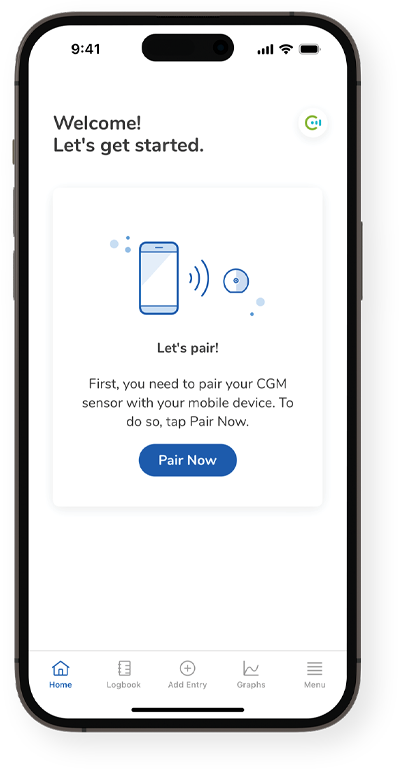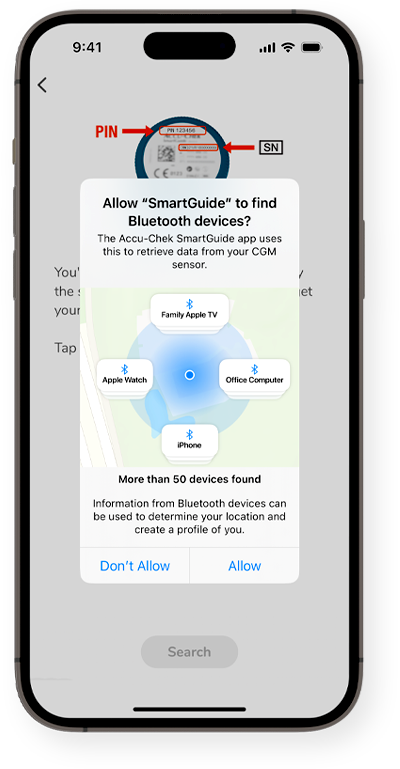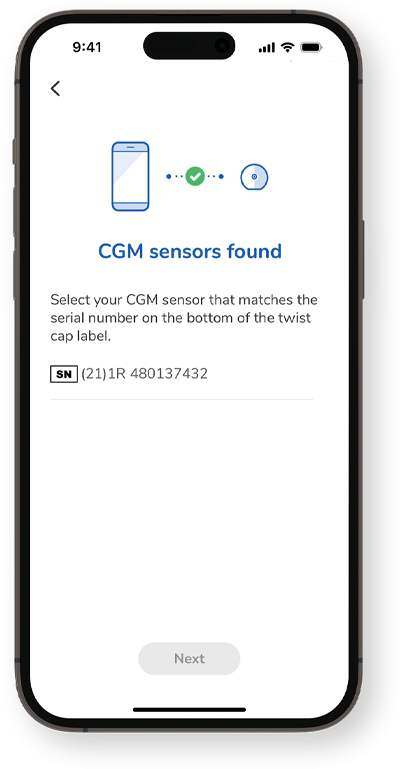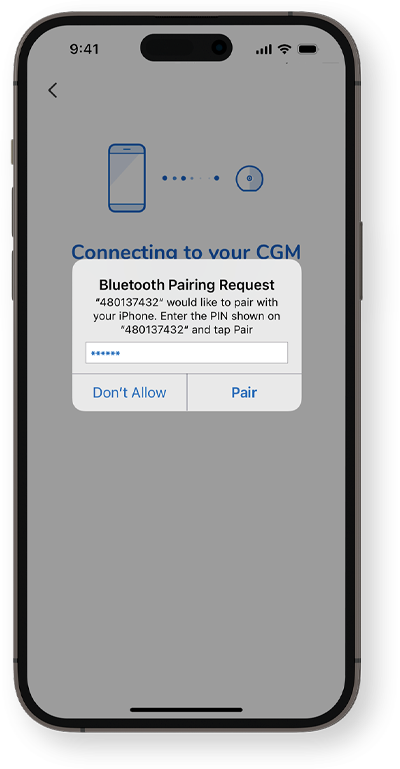
Pair the Accu-Chek SmartGuide sensor and app

  • High Res PNG-AC_Icon_Circle_information

    Before you start the pairing process, make sure your mobile phone has Bluetooth® enabled and is discoverable by other devices. To complete the pairing process, you’ll need the applicator's twist cap, which has a serial number and a 6-digit PIN code printed on it.

Watch the video below to see how to pair the sensor with your app, or continue reading for step-by-step instructions.

Watch the video tutorial to pair your sensor with your smartphone
  • High Res PNG-AC_Icon_Circle_information

    Some Android smartphone models may wrongly suggest that your PIN code will be either 0000 or 1234 rather than the 6 digits on the twist cap; ignore this note from the operating system and always refer to the PIN from the twist cap.

  • Pair the Accu-Chek SmartGuide sensor and app

    After your sensor has warmed up to your body, you will need to calibrate it to ensure your glucose values are as accurate as possible and to use them to make therapy decisions.

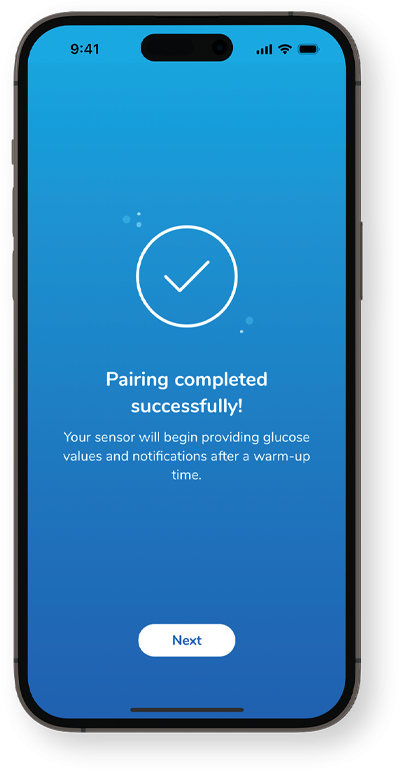
The sensor is now successfully connected to the Accu-Chek SmartGuide app! Next, see how to calibrate your sensor.

Continue training

Get in touch

Feedback or Questions

We value your feedback and questions

Contact form
Send us a message

We'll get back to you as soon as possible

Email us
Give us a call

Mon-Fri from 9:00 am to 5:30 pm 
Hotline: 2485 7512